

You finally film a video you’re happy with—good lighting, clear audio, everything feels right—until you notice the background. It’s cluttered, distracting, or just not something you want on screen, and re-shooting isn’t an option. You don’t have a green screen, you don’t want to spend hours masking frames in editing software, and you just need a fast, realistic way to clean things up. That’s exactly where an AI video background remover comes in: it lets you remove or replace video backgrounds automatically, without complex tools or technical skills, so you can focus on the content instead of the cleanup.
What Is an AI Video Background Remover, Really?
An AI video background remover is a tool that automatically separates the main subject in your video (usually a person or product) from the background.
Instead of manually cutting frames or setting up a green screen, the AI does the hard part for you:
- Detects the subject
- Traces edges like hair, hands, and movement
- Removes or replaces the background
In most cases, you upload a video and get:
- A transparent background video, or
- The same video with a clean, new background
No advanced editing skills required.
How AI Removes Video Backgrounds (Without Getting Technical)
You don’t need to understand machine learning to use these tools, but it helps to know why they work better now than they did a few years ago.
Modern AI background removal tools are trained to recognize:
- Human shapes and proportions
- Motion patterns (what’s moving vs. what’s static)
- Fine details like hair edges and fingers
Instead of relying on a single color (like green screens do), AI looks at context and movement. That’s why it works even if your background is cluttered or uneven.
Is it perfect every time? No.
Is it good enough for most real-world videos? Absolutely.
Why People Are Switching From Traditional Background Removal
Before AI, removing a video background usually meant one of these:
- Green screen setups (extra gear, extra space, extra effort)
- Manual masking in tools like After Effects (time-consuming and painful)
- Frame-by-frame fixes when things went wrong
AI changes the equation.
Here’s how they compare:
Traditional methods
- Steep learning curve
- High time cost
- Not beginner-friendly
AI video background removal
- Faster turnaround
- Minimal setup
- Accessible to non-editors
If you’re creating content regularly, that difference matters.
Real Use Cases Where AI Video Background Removal Actually Helps
This isn’t just a “cool AI feature.” People use it every day for practical reasons.
Content Creators & Social Media
Short-form video creators use AI background removers to:
- Keep a consistent visual style
- Remove distracting backgrounds
- Swap backgrounds for different platforms
It’s especially useful for TikTok, Reels, and Shorts, where speed matters more than perfection.
E-Commerce & Product Videos
Clean backgrounds make products look more professional.
Instead of re-shooting product videos in a studio, sellers can:
- Remove messy backgrounds
- Add neutral or branded backdrops
- Reuse the same footage across multiple campaigns
Online Courses & Educational Videos
Teachers and course creators often remove backgrounds to:
- Place themselves over slides
- Keep focus on the explanation
- Make content feel more polished
Marketing & Brand Videos
Marketing teams use AI background removal to:
- Localize videos for different regions
- Match brand visuals
- Repurpose the same footage multiple times
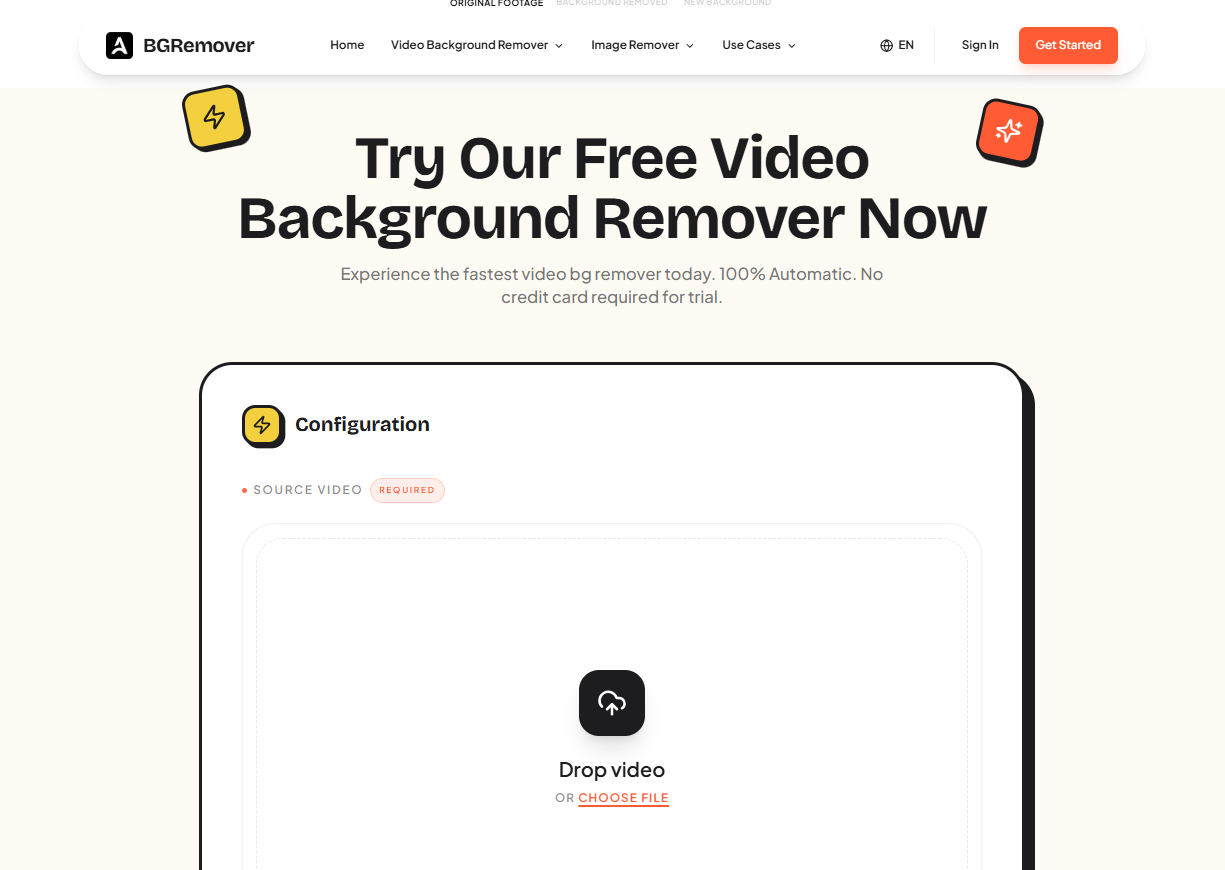
One practical thing many creators overlook is how easy the actual process can be. For example, on the AIAI Video Background Remover workspace, the workflow follows just a few simple steps:
first you upload your footage—whether it’s MP4, AVI, or MOV—directly into the online interface; then the AI processes each frame automatically, detecting the subject and separating it from the background; and finally you can choose to keep a transparent background or add a custom image or video before exporting the result in high quality.
What makes this especially user-friendly for newcomers is that you can sign up on the site, receive free credits, and start experimenting without any upfront costs. That means you can try removing backgrounds from a couple of videos, see how the edge detection and export quality look, and only decide later if you want to use more credits or upgrade your plan.
What AI Video Background Removers Are Good At — and Where They Struggle
To keep things honest, AI tools aren’t magic.
They work best when:
- The subject is clearly visible
- There’s decent lighting
- The camera isn’t shaking too much
They may struggle with:
- Extremely busy backgrounds
- Subjects blending into the background color
- Very fast or erratic movement
That said, most tools are improving fast. For everyday videos, the results are usually more than usable.
What to Look for in a Good AI Video Background Remover
Not all tools are equal. If you’re choosing one, here are a few things that actually matter.
Edge quality
Look at hair and hand edges. That’s where bad tools fail first.
Video resolution support
HD output is a must if you’re posting professionally.
Background options
Can you export with transparency? Replace backgrounds easily?
Ease of use
If it takes a tutorial to get started, it defeats the purpose.
Online vs. desktop
Some people prefer browser-based tools; others want full control locally.
Final Thoughts
AI video background removers aren’t about replacing professional editing. They’re about removing unnecessary barriers.
If you’ve ever skipped posting a video because the background wasn’t “good enough,” this kind of tool changes that completely.
Clean backgrounds.
Less friction.
More videos actually getting published.
And honestly, that’s what most creators need.